Arena supports and simplifies distributed TensorFlow Training(MPI mode).
-
To run a distributed Training with MPI support, you need to specify:
-
GPUs of each worker (only for GPU workload)
- The number of workers (required)
- The docker image of mpi worker (required)
The following command is an example. In this example, it defines 2 workers and 1 PS, and each worker has 1 GPU. The source code of worker and PS are located in git, and the tensorboard are enabled.
# arena submit mpi --name=mpi-dist              \
              --gpus=1              \
              --workers=2              \
              --image=uber/horovod:0.13.11-tf1.10.0-torch0.4.0-py3.5  \
              --env=GIT_SYNC_BRANCH=cnn_tf_v1.9_compatible \
              --syncMode=git \
              --syncSource=https://github.com/tensorflow/benchmarks.git \
              --tensorboard \
              "mpirun python code/benchmarks/scripts/tf_cnn_benchmarks/tf_cnn_benchmarks.py --model resnet101 --batch_size 64     --variable_update horovod --train_dir=/training_logs --summary_verbosity=3
              --save_summaries_steps=10"
2. Get the details of the specific job
# arena get mpi-dist
NAME      STATUS   TRAINER  AGE  INSTANCE                        NODE
mpi-dist  RUNNING  MPIJOB   1d   mpi-dist-mpijob-launcher-ndnw8  192.168.1.120
mpi-dist  RUNNING  MPIJOB   1d   mpi-dist-mpijob-worker-0        192.168.1.119
mpi-dist  RUNNING  MPIJOB   1d   mpi-dist-mpijob-worker-1        192.168.1.120

Your tensorboard will be available on:
192.168.1.117:32559
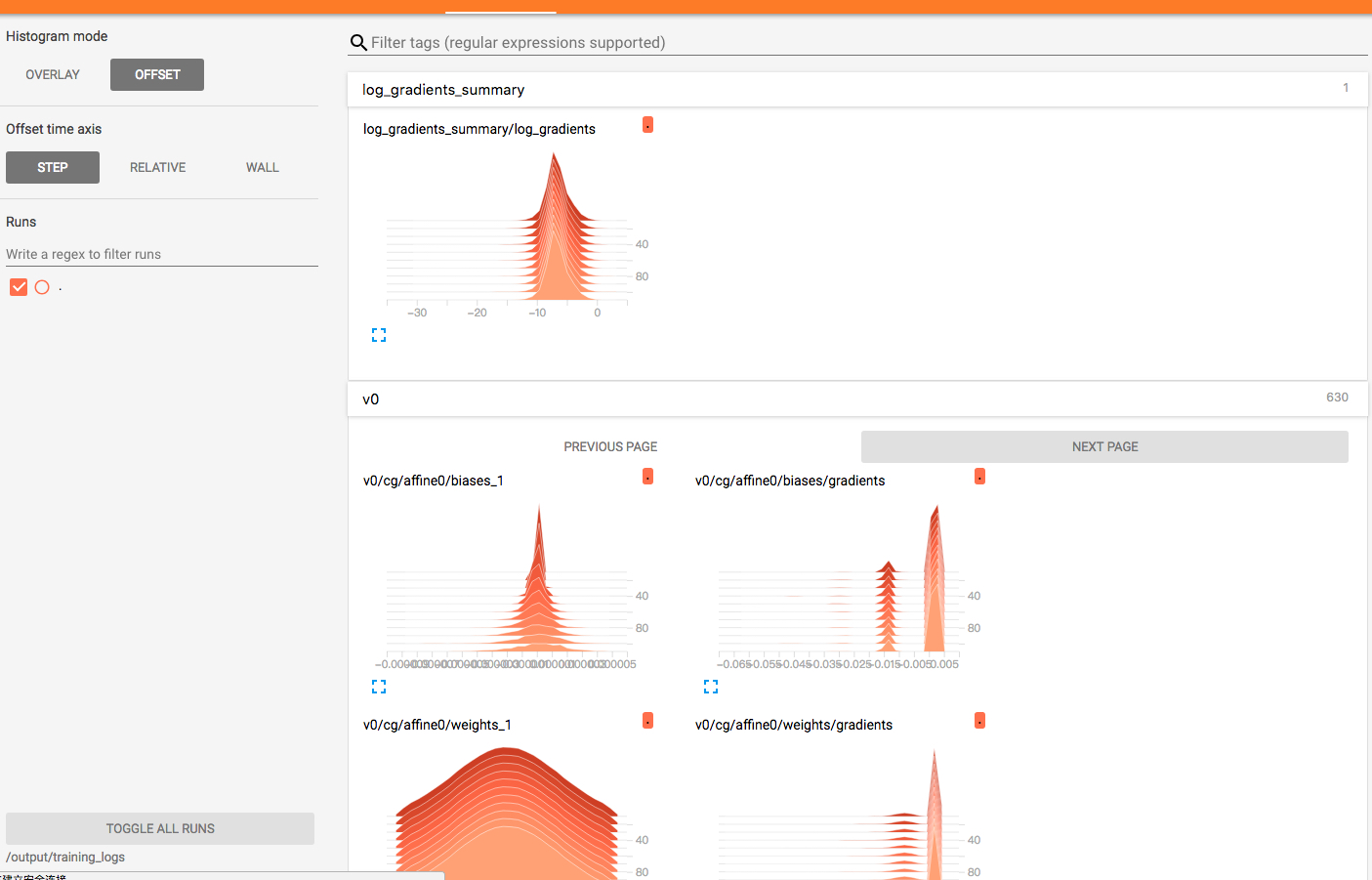
3. Check the tensorboard
4. Get the MPI dashboard
# arena logviewer mpi-dist
Your LogViewer will be available on:
192.168.1.119:9090/#!/log/default/mpi-dist-mpijob-launcher-ndnw8/mpi?namespace=default

Congratulations! You've run the distributed MPI training job with arena successfully.