Arena 为分布式 TensorFlow 训练(ps/worker 模式)提供了支持和简化。
1.要运行分布式 Tensorflow 训练,您需要指定以下信息:
- 各 Worker 的 GPU(仅 GPU 工作负载需要)
- Worker 的数量(必需)
- PS 的数量(必需)
- Worker 的 docker 镜像(必需)
- PS 的 docker 镜像(必需)
- Worker 的端口(默认为 22222)
- PS 的端口(默认为 22223)
如下命令提供了一个示例。本例中定义了 2 个 Worker 和 1 个 PS,每个 Worker 有 1 个 GPU。Worker 和 PS 的源代码位于 git 中,Tensorboard 已启用。
#arena submit tf --name=tf-dist-git              \
              --gpus=1 \
              --workers=2 \
              --workerImage=tensorflow/tensorflow:1.5.0-devel-gpu \
              --syncMode=git \
              --syncSource=https://github.com/cheyang/tensorflow-sample-code.git \
              --ps=1 \
              --psImage=tensorflow/tensorflow:1.5.0-devel \
              --tensorboard \
              "python code/tensorflow-sample-code/tfjob/docker/v1alpha2/distributed-mnist/main.py --log_dir /training_logs"
configmap/tf-dist-git-tfjob created
configmap/tf-dist-git-tfjob labeled
service/tf-dist-git-tensorboard created
deployment.extensions/tf-dist-git-tensorboard created
tfjob.kubeflow.org/tf-dist-git created
INFO[0001] The Job tf-dist-git has been submitted successfully
INFO[0001] You can run `arena get tf-dist-git --type tfjob` to check the job status
2.获取特定作业的详细信息
#arena get tf-dist-git
NAME STATUS TRAINER AGE INSTANCE NODE
tf-dist-git RUNNING tfjob 55s tf-dist-git-tfjob-594d59789c-lrfsk 192.168.1.119
tf-dist-git RUNNING tfjob 55s tf-dist-git-tfjob-ps-0 192.168.1.118
tf-dist-git RUNNING tfjob 55s tf-dist-git-tfjob-worker-0 192.168.1.119
tf-dist-git RUNNING tfjob 55s tf-dist-git-tfjob-worker-1 192.168.1.120

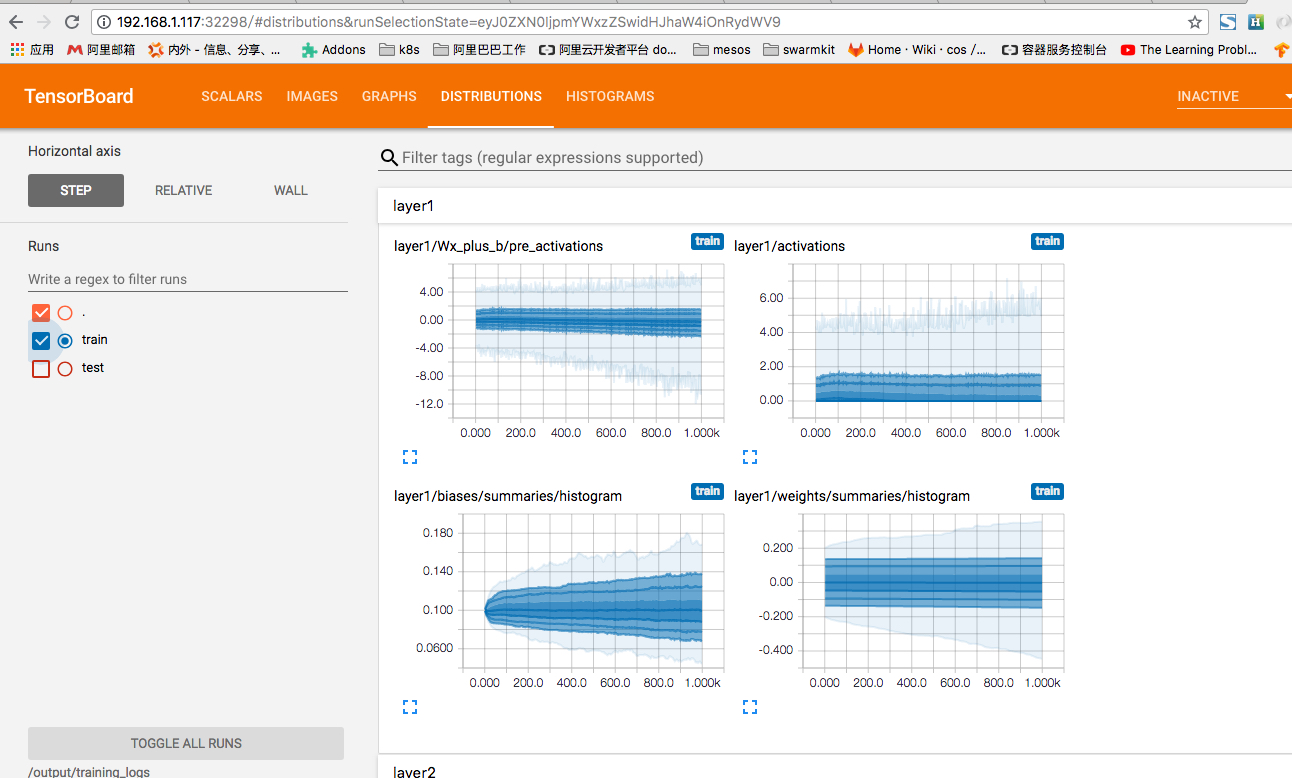
Your tensorboard will be available on:
192.168.1.117:32298
3.检查 Tensorboard
4.获取 TFJob 控制台
#arena logviewer tf-dist-git
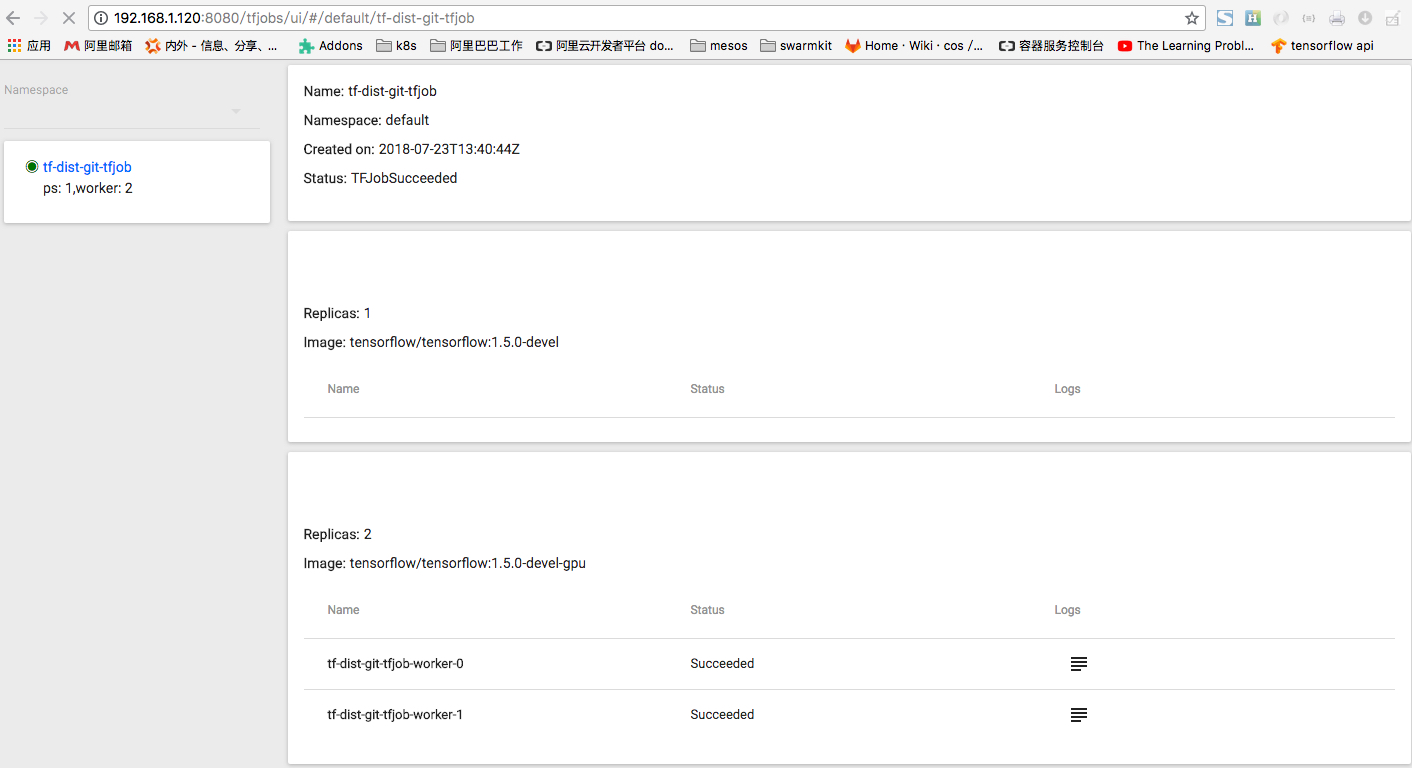
Your LogViewer will be available on:
192.168.1.120:8080/tfjobs/ui/#/default/tf-dist-git-tfjob
恭喜!您已经成功使用 arena 运行了分布式训练作业。