您还可以利用 Arena,使用高级 TensorFlow API – tf.estimator.Estimator 类来运行具有良好模块性的分布式 TensorFlow。
1.创建持久卷。将 NFS_SERVER_IP 更改为您的相应 NFS Server IP 地址。
#cat nfs-pv.yaml
apiVersion: v1
kind: PersistentVolume
metadata:
  name: tfdata
  labels:
    tfdata: nas-mnist
spec:
  persistentVolumeReclaimPolicy: Retain
  capacity:
    storage: 10Gi
  accessModes:
  - ReadWriteMany
  nfs:
    server: NFS_SERVER_IP
    path: "/data"

 # kubectl create -f nfs-pv.yaml
2.创建持久卷声明。
#cat nfs-pvc.yaml
apiVersion: v1
kind: PersistentVolumeClaim
metadata:
  name: tfdata
  annotations:
    description: "this is the mnist demo"
    owner: Tom
spec:
  accessModes:
    - ReadWriteMany
  resources:
    requests:
       storage: 5Gi
  selector:
    matchLabels:
      tfdata: nas-mnist
#kubectl create -f nfs-pvc.yaml
注意:建议添加
description和owner
3.检查数据卷
#arena data list
NAME ACCESSMODE DESCRIPTION OWNER AGE
tfdata ReadWriteMany this is for mnist demo myteam 43d
4.要运行分布式 Tensorflow 训练,您需要指定以下信息:
- 各 Worker 的 GPU(包括主 Worker 和评估Worker )
- 启用主 Worker (必需)
- 启用评估器 (必需)
- Worker 的数量(必需)
- PS 的数量(必需)
- Worker 和主节点的 docker 镜像(必需)
- PS 的 docker 镜像(必需)
- 主 Worker 的端口(默认为 22221)
- Worker 的端口(默认为 22222)
- PS 的端口(默认为 22223)
如下命令提供了一个示例。本例中定义了 1 个主 Worker 、1 个 Worker 和 1 个评估器 ,每个 Worker 有一个 GPU。Worker 和 PS 的源代码位于 git 中,Tensorboard 已启用。
#arena submit tf --name=tf-estimator              \
              --gpus=1 \
              --workers=1 \
              --chief \
              --evaluator \
              --data=tfdata:/data/mnist \
              --logdir=/data/mnist/models \
              --workerImage=tensorflow/tensorflow:1.9.0-devel-gpu \
              --syncMode=git \
              --syncSource=https://github.com/cheyang/models.git \
              --ps=1 \
              --psImage=tensorflow/tensorflow:1.9.0-devel \
              --tensorboard \
              "bash code/models/dist_mnist_estimator.sh --data_dir=/data/mnist/MNIST_data --model_dir=/data/mnist/models"
configmap/tf-estimator-tfjob created
configmap/tf-estimator-tfjob labeled
service/tf-estimator-tensorboard created
deployment.extensions/tf-estimator-tensorboard created
tfjob.kubeflow.org/tf-estimator created
INFO[0001] The Job tf-estimator has been submitted successfully
INFO[0001] You can run `arena get tf-estimator --type tfjob` to check the job status
--data指定了要挂载到作业的所有任务的数据卷,例如 :。在本例中,数据卷是tfdata,目标目录是/data/mnist。
5.通过日志,我们发现训练已经启动
#arena logs tf-estimator
2018-09-27T00:37:01.576672145Z 2018-09-27 00:37:01.576562: I tensorflow/core/common_runtime/gpu/gpu_device.cc:1084] Created TensorFlow device (/job:chief/replica:0/task:0/device:GPU:0 with 15123 MB memory) -> physical GPU (device: 0, name: Tesla P100-PCIE-16GB, pci bus id: 0000:00:08.0, compute capability: 6.0)
2018-09-27T00:37:01.578669608Z 2018-09-27 00:37:01.578523: I tensorflow/core/distributed_runtime/rpc/grpc_channel.cc:215] Initialize GrpcChannelCache for job chief -> {0 -> localhost:22222}
2018-09-27T00:37:01.578685739Z 2018-09-27 00:37:01.578550: I tensorflow/core/distributed_runtime/rpc/grpc_channel.cc:215] Initialize GrpcChannelCache for job ps -> {0 -> tf-estimator-tfjob-ps-0:22223}
2018-09-27T00:37:01.578705274Z 2018-09-27 00:37:01.578562: I tensorflow/core/distributed_runtime/rpc/grpc_channel.cc:215] Initialize GrpcChannelCache for job worker -> {0 -> tf-estimator-tfjob-worker-0:22222}
2018-09-27T00:37:01.579637826Z 2018-09-27 00:37:01.579454: I tensorflow/core/distributed_runtime/rpc/grpc_server_lib.cc:334] Started server with target: grpc://localhost:22222
2018-09-27T00:37:01.701520696Z I0927 00:37:01.701258 140281586534144 tf_logging.py:115] Calling model_fn.
2018-09-27T00:37:02.172552485Z I0927 00:37:02.172167 140281586534144 tf_logging.py:115] Done calling model_fn.
2018-09-27T00:37:02.173930978Z I0927 00:37:02.173732 140281586534144 tf_logging.py:115] Create CheckpointSaverHook.
2018-09-27T00:37:02.431259294Z I0927 00:37:02.430984 140281586534144 tf_logging.py:115] Graph was finalized.
2018-09-27T00:37:02.4472109Z 2018-09-27 00:37:02.447018: I tensorflow/core/distributed_runtime/master_session.cc:1150] Start master session b0a6d2587e64ebef with config: allow_soft_placement: true graph_options { rewrite_options { meta_optimizer_iterations: ONE } }
...
2018-09-27T00:37:33.250440133Z I0927 00:37:33.250036 140281586534144 tf_logging.py:115] global_step/sec: 21.8175
2018-09-27T00:37:33.253100942Z I0927 00:37:33.252873 140281586534144 tf_logging.py:115] loss = 0.09276967, step = 500 (4.583 sec)
2018-09-27T00:37:37.764446795Z I0927 00:37:37.764101 140281586534144 tf_logging.py:115] Saving checkpoints for 600 into /data/mnist/models/model.ckpt.
2018-09-27T00:37:38.064104604Z I0927 00:37:38.063472 140281586534144 tf_logging.py:115] Loss for final step: 0.24215397.
6.检查训练状态和 Tensorboard
#arena get tf-estimator
NAME STATUS TRAINER AGE INSTANCE NODE
tf-estimator SUCCEEDED TFJOB 5h tf-estimator-tfjob-chief-0 N/A
tf-estimator RUNNING TFJOB 5h tf-estimator-tfjob-evaluator-0 192.168.1.120
tf-estimator RUNNING TFJOB 5h tf-estimator-tfjob-ps-0 192.168.1.119
tf-estimator RUNNING TFJOB 5h tf-estimator-tfjob-worker-0 192.168.1.118

Your tensorboard will be available on:
192.168.1.117:31366
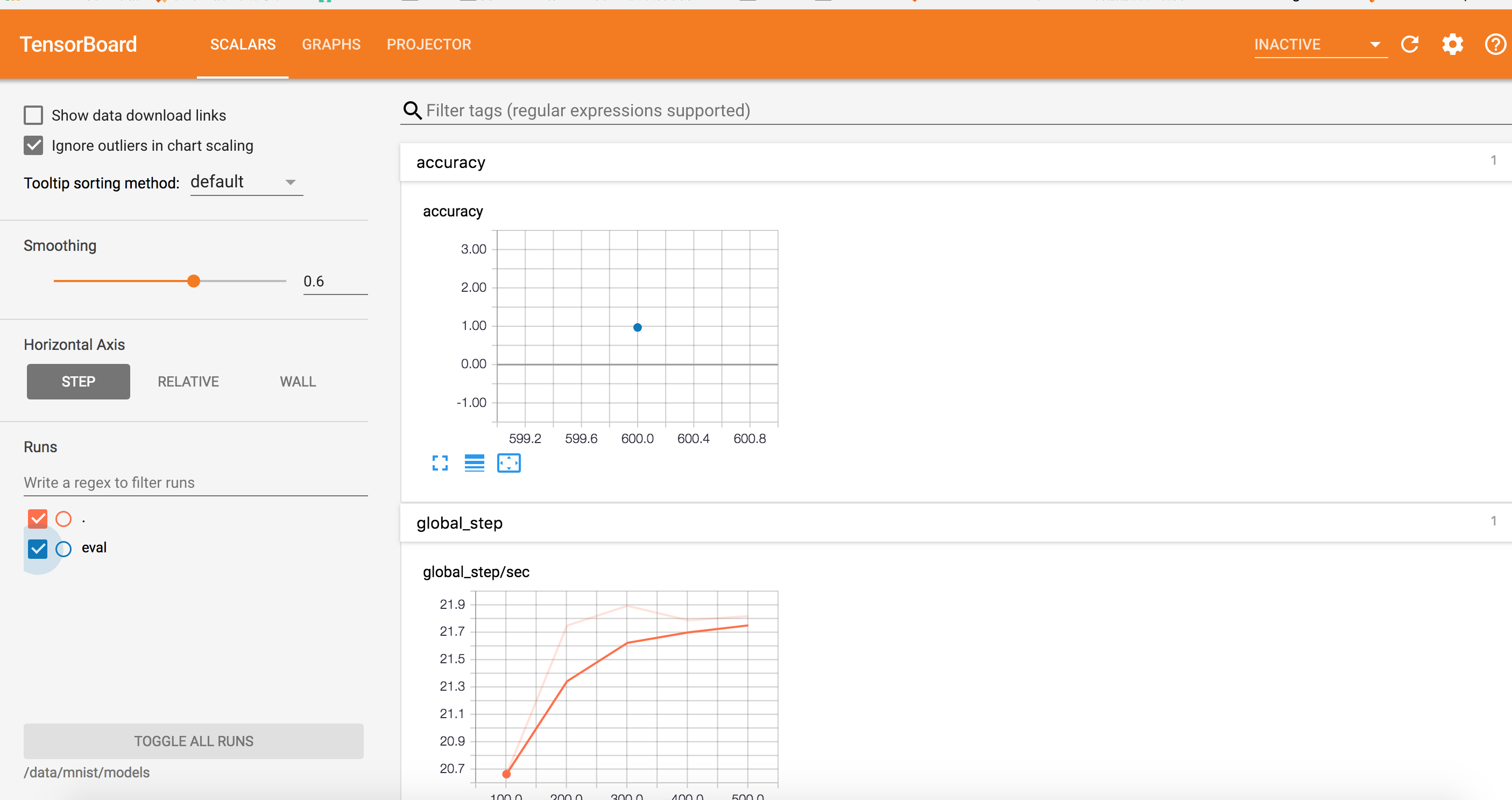
7.检查本示例中来自 192.168.1.117:31366 的 Tensorboard